

Export a multitrack session from your DAW

Write down your first and last name, email. Make sure, that you leave a note with your suggestions, song references, etc. Choose the quantity of songs

Drop your file to our file uploader

Choose the payment method that is most convenient for you

We will send your project back to you in 2-3 days. Now, you can send us your revisions.

We will send you edited stems.
The same real engineers work on every order. Listen to real results across genres before you order.
A great specialist, ready to go for any experiments with sound. They understand all the nuances and details! And what is most important – they feel the direction of sound, concept, and style! Love, peace!
Highly recommend !!!

If you need fast, professional , friendly mixing mastering engineers Major Mixing is the way to go. There are never any issues and they do whatever it takes to get the job done! I work with them exclusively because the quality is always on point!
A++++

Max proved to be a professional and responsible mix engineer. He mixed my second
album and I’m really happy with the result. He feels music style, has the right
reaction to my edits, and careful attitude to our work.
Definitely a great collaboration!

We have been cooperating with Major Mixing for several years. We are very happy with every song. A true professional in his field!
Thanks

Major Mixing mixed and mastered my song and it sounded amazing! Will definitely come back. the mix made it sound much more balanced and the way it was mastered sounds made my song sound much more professional.
Thanks!

The guys really know what they do. My track sounds so powerful after they work on it.
Thank u Major Mixing.

Great service, the turnaround was fast and they perfectly understood all my requests although it was my first time with a professional mixing service. The final result was really good.
I definitely recommend them

Great professional Master/Mix. Took my project from Clark Kent To Superman. Exceeded my expectations. I would recommend Major Mixing to anyone who is looking for a clean professional sound.
Yes I will use Major Mixing again

A very professional and patient service. Max worked fast and efficiently to deliver the results we needed with good communication regarding revisions. A great job and would be happy to work with in the future.

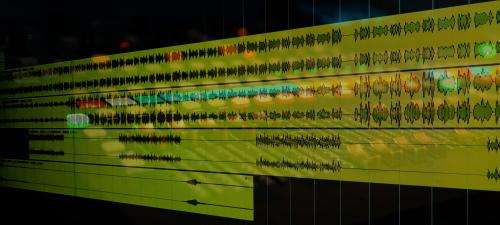
Music Editing is replacing audio samples (kick, snare, bass, vocals, etc) to increase the overall quality of sound. Also we are performing time alignment of instruments such as guitars and drums.
Make an Order*Price depends on the project size — calculate your exact price on the order page. Not satisfied with your first order? See our refund policy.




Music production is a long and complicated process, in which mistakes can be made at any stage. This is especially true of the arrangement.
If a mistake was made during the arranging stage, even a mixing engineer can not fix it. If we talk about specific cases, then very often the arrangers use low-quality sounds, or some of the instruments may be poorly recorded. This affects the sound of the entire song very seriously. Of course, in this case, you can contact your beat maker and ask him to redo it, but this can take quite a long time.
In order to save your time, we have added the Music Editing function. With this service, we will replace some of your samples with similar but improved ones using high-quality libraries (Omnisphere, Spire, Splice, Kshmr). We’re not providing rearranging, we’re improving the sound.
So, Music Editing is replacing audio samples (kick, snare, bass, hats, etc) to increase the overall quality of sound. Also we are doing time alignment of instruments such as guitars and drums.

Yes, if you have them – that will be perfect.
No, we improve the sound, not rearrange it.
It’s each instrument and vocals separately (as separate tracks).
For example, kick, snare, bass, piano, lead vocal, background vocal. etc.
First of all, export your demo mix.
Then you need to export stems from your DAW. We have a list of video manuals:
Logic Pro X – https://www.youtube.com/watch?v=frKZ1YQ-No0&t=9s
Pro Tools – https://www.youtube.com/watch?v=iFC-_U_Qp7U&t=23s
Garageband – https://www.youtube.com/watch?v=M0vCDyqqM6g&t=1s
Ableton Live – https://www.youtube.com/watch?v=OiN_ovVsp40&t=22s
FL Studio – https://www.youtube.com/watch?v=Y_YB2RVcusc&t=5s
Cubase – https://www.youtube.com/watch?v=OSwd1f81ZD0&t=31s
Reaper – https://www.youtube.com/watch?v=KLltl2nvsR8&t=1s
Double check your audio files before uploading. Reload them into a new Session/Project, checking that they are in the correct placement and length.
Finally zip your files.
Yes, that would be perfect! But no problem if you don’t have it.
We need your demo in order to see the structure of the song, the effects were used. The demo mix CANNOT BE USED as a reference for mixing and mastering.
We accept as references, songs that are relevant to the current industry and have been released on streaming platforms.
You may send us a reference track to show us the sound you like. If there are no reference tracks – no worries, we will pick up something similar to your song.
You will have 3 revision sessions.
We work with any genre. We have a team of mixing engineers, which have a lot of experience in mixing and mastering almost all genres.
Our main office is located in Rubi, Barcelona, Spain. Also, we are cooperating with different engineers around the world.
Sure! We have discounts for bulk deals. The size of the discount depends on the quantity of songs. You can always check it in the order window.
Of course! You can contact us via Live Chat on the website,
email: info@majormixing.com
facebook: https://www.facebook.com/majormixing
instagram: @major_mixing.